
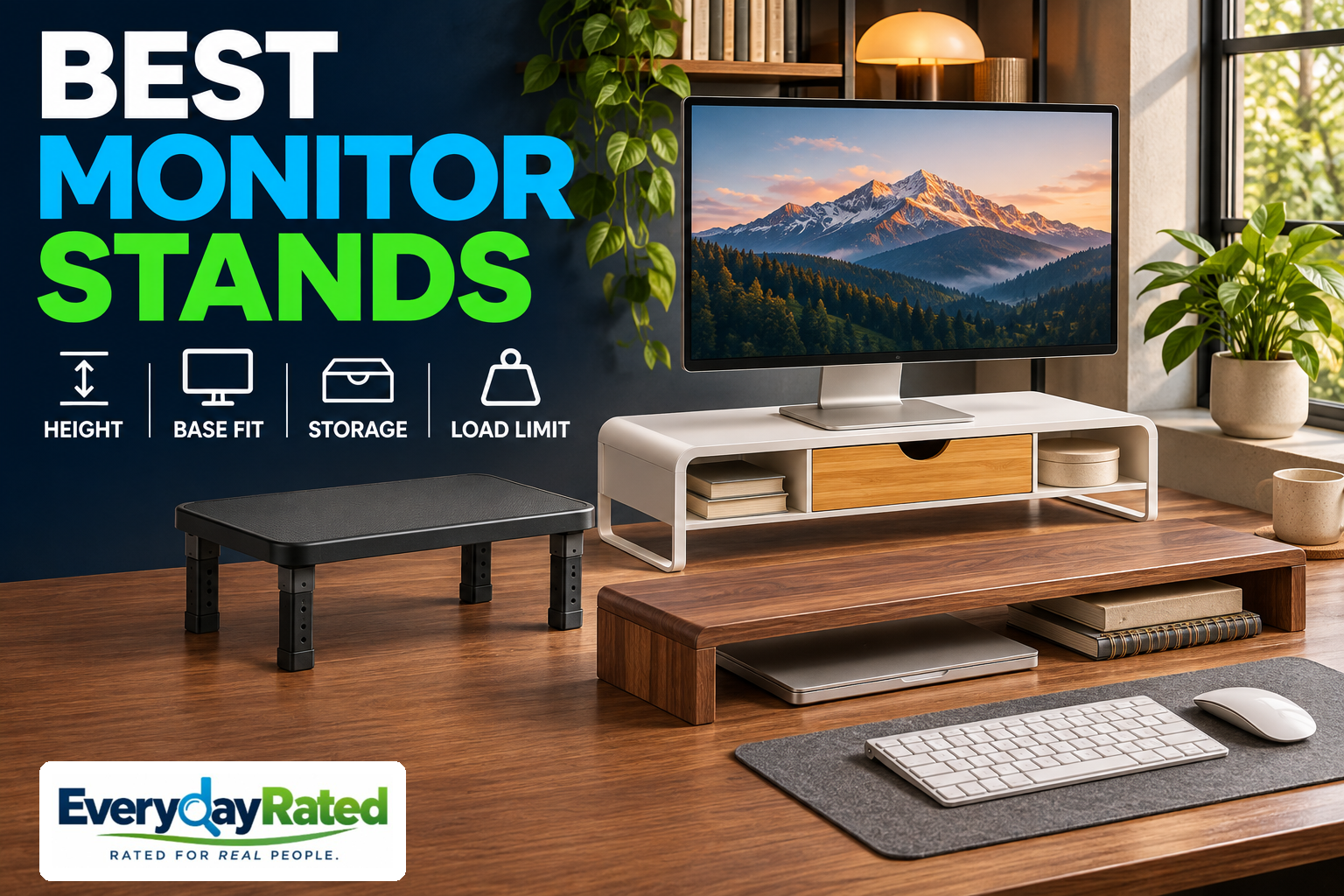
The best monitor stands give a low screen a useful lift and make room for the things that keep migrating across your desk. Our Best Overall pick for 2026 is the IKEA ELLOVEN, provided its fixed four-inch rise suits you. The Kensington K52785WW offers selectable height for small compatible monitors, while the Grovemade Walnut Desk Shelf — Medium is our premium organization pick.
This guide covers desktop risers that hold your monitor’s existing base. Clamp-on monitor arms and replacement VESA stands serve different needs. Before spending anything, check whether the monitor’s supplied stand already offers enough height adjustment. Sometimes the best upgrade is the one you already own.
Affiliate disclosure: EverydayRated may earn a commission from qualifying purchases, at no additional cost to you. Our recommendations are based on independent research and product specifications. Affiliate relationships do not determine our rankings.
Quick Answer: Which Monitor Stand Should You Buy?
Start with the ELLOVEN for affordable storage and a known four-inch lift. Choose the Kensington only for a monitor within its 21-inch limit after confirming dimensions. Choose the Grovemade when a wider integrated shelf and finish justify the extra cost. If your screen is already high enough, skip a riser.
IKEA ELLOVEN
4.3 / 5
One-monitor desks that need an affordable lift and small-item storage
Kensington K52785WW
3.8 / 5
A small, compatible monitor when selectable lift matters more than a drawer
Grovemade Walnut Medium
4.0 / 5
A wider desk where an integrated storage shelf and furniture finish matter
How We Evaluated
Last Reviewed: November 8, 2026. These are EverydayRated research-based editorial assessments, not hands-on measurements or retailer star averages. We compared current U.S. purchase listings where accessible, manufacturer limits, storage designs, documentation and published first-person evidence.
Our consistent rubric weighs fit and useful height adjustment (30%), storage and everyday usability (25%), purchase value (25%), and construction documentation, support and evidence quality (20%). Scores express editorial judgment against these priorities rather than a laboratory calculation. The awards identify different needs; the second-listed product does not have the second-highest score.
Controlled, comparable stability tests and failure-rate data were not available for these exact configurations. The ELLOVEN has useful first-person organization evidence; we do not transfer that experience to the other stands or claim a measured stability winner. We also considered long shelves and powered or hub-equipped risers as alternative approaches. Extra width, lighting or ports are useful only when they solve a real requirement.
Prices are public-page or indexed-listing snapshots before tax and delivery. IKEA fulfillment requires location information; Kensington checkout availability remains unconfirmed. These limits are reflected in the recommendations.
Monitor Stands at a Glance
| Stand | EverydayRated | Lift / fit | Checked price | Main trade-off |
|---|---|---|---|---|
| IKEA ELLOVEN | 4.3 / 5 | Fixed 4 in; 44 lb limit | $29.99 | Height cannot be fine-tuned |
| Kensington K52785WW | 3.8 / 5 | 3 settings; up to 21 in / 40 lb | $42.99 indexed offer | Confirm actual dimensions before purchase |
| Grovemade Walnut Medium | 4.0 / 5 | Fixed 4½ in; 50 lb stated limit | $250 Walnut Medium | Premium cost and shallow platform |
Capacities are manufacturer limits, not EverydayRated load-test results. Fit requires both supported weight and a fully supported base; select the exact configuration before comparing prices.
1. IKEA ELLOVEN Monitor Stand with Drawer, White (504.747.70)
EverydayRated Score: 4.3 / 5
Key Specifications: 18½ × 10¼ × 4 in (W × D × H); fixed height; 44 lb stated maximum load; powder-coated steel stand; bamboo/veneer drawer
The ELLOVEN earns our default recommendation because it solves two ordinary desk problems in one modest purchase: a low screen and loose accessories. It makes the most sense when you already know that a four-inch lift suits your setup. Someone who mainly wants a place for pens and small cables has a stronger reason to buy this than someone whose monitor is already correctly positioned.
IKEA lists the white model at $29.99, with a fixed four-inch height and a 44-pound maximum load. Its materials table identifies a steel stand and a drawer using bamboo, fiberboard and bamboo veneer. The shelf is 18½ inches wide and 10¼ inches deep; those measurements are more useful for checking your monitor base than the screen diagonal. [1]
A first-person Appsntips review describes useful divided storage and room beneath the drawer for a keyboard. It also notes that a bulky game controller would not fit in the drawer. That is helpful real-use evidence about organization, although one reviewer’s setup cannot establish long-term failure rates or guarantee clearance for your keyboard and wrist rest. [2]
Storage, fit and buying trade-offs
Think about what you actually reach for during the day. A shallow divided drawer suits small accessories; it is less persuasive if your clutter is a large headset, an upright dock or a pile of charging bricks. Before buying, lay those items out and decide whether hidden storage will help or simply give the mess a new address.
The principal compromise is the fixed lift. If your screen only needs to move up an inch, this is the wrong purchase even at an appealing price. Check the complete base footprint and the final screen height before ordering. Local fulfillment was not resolved by the public page, and we did not verify a product-specific extended warranty; do not confuse a return policy with warranty coverage.
The 4.3 score rewards the combination of low purchase cost and useful storage, with deductions for fixed height and limited controlled stability evidence. We have not measured vibration or drawer smoothness. Choose it for a straightforward one-monitor setup, and skip it when you need frequent repositioning or a broad dual-monitor platform.
Pros
- Low checked U.S. purchase price
- Divided drawer adds a practical use beyond elevation
- Base can stay attached to the monitor
Considerations
- Fixed four-inch lift can be too high
- Drawer and keyboard clearance need individual checks
- Local stock and specific warranty coverage require confirmation
Why We Picked It
The strongest everyday value for a compatible single-monitor desk: useful storage without a premium furniture budget.
2. Kensington SmartFit Monitor Stand for up to 21-inch Screens (K52785WW)
EverydayRated Score: 3.8 / 5
Key Specifications: Three height settings; manufacturer limit up to 21-inch screens and 40 lb; 3-year limited warranty in manufacturer sheet; published dimensions vary by documentation
The Kensington is the targeted alternative for a small screen that needs a choice of heights. A shelf with selectable lift gives you more room to adjust the setup than a fixed four-inch platform. The practical benefit is choosing a setting that suits your seated position, rather than adapting your chair to whichever shelf looks nicest.
Kensington specifies three height settings and support for screens up to 21 inches and 40 pounds. Treat both limits as requirements. A light 27-inch screen is not automatically supported simply because it weighs less than 40 pounds, and the similar-sounding Monitor Stand Plus is a different model. [3]
Documentation needs care here. A Kensington sheet lists an 11.5 × 9-inch platform and a three-to-six-inch height range, along with a three-year limited warranty. Other regional documentation describes a different height range. We therefore do not treat those dimensions as a dependable universal fit guarantee: ask the seller to confirm the actual K52785WW platform and all three assembled heights before ordering. [4]
Daily use and seller checks
For everyday use, the open space underneath is easier to justify as a parking area than as an organization system. It will not hide small accessories as neatly as a drawer. Set the required height with the monitor removed, follow the supplied assembly instructions, and check every support before returning the screen to the platform.
The U.S. Zones search listing showed $42.99 and an exact-model cart listing, but a direct text fetch failed to decode. We could verify the indexed offer, not a completed checkout or local inventory. This is a conditional recommendation for a buyer who can confirm the configuration, rather than a blanket pick for modern large monitors. [5]
Its 3.8 score recognizes useful selectable height and a documented warranty, while deducting for narrow screen compatibility, inconsistent published dimensions and limited exact-model independent testing. It ranks second to address an important need, not because it scores higher than the premium shelf. If seller confirmation is unavailable, choose another documented adjustable model rather than guessing.
Pros
- Three selectable height settings
- Manufacturer documents a three-year limited warranty
- Open underside can park desk accessories
Considerations
- Manufacturer specifies screens only up to 21 inches
- Conflicting dimensions require seller confirmation
- Exact-model independent performance evidence is limited
Why We Picked It
A useful small-monitor option when height choice is the main requirement, provided the seller confirms the supplied configuration.
3. Grovemade Walnut Desk Shelf — Medium
EverydayRated Score: 4.0 / 5
Key Specifications: 31½ × 9 × 4½ in (W × D × H); fixed height; manufacturer states support up to 50 lb; integrated lower shelf; select material explicitly
The Grovemade makes sense when the shelf is part of how you want the whole desk to work and look. Its wider format creates a continuous raised area rather than a small perch for a monitor. That is useful if you want a screen and selected accessories to share one organized zone, and you have measured the desk space to accommodate it.
The Medium size is 31½ inches wide, nine inches deep and 4½ inches tall. Grovemade’s sizing guide lists Walnut Medium at $250. Its product page offers multiple sizes and materials, so check the selected finish and size in the cart instead of assuming the first price on the page applies to this recommendation. [7]
The manufacturer describes an integrated aluminum storage shelf and states support for monitors up to 50 pounds. Wood construction varies by selection, including hardwood plywood and solid-wood options; “walnut” alone should not be read as proof of solid walnut. Accessories shown with the system are separate purchases unless your selected order explicitly includes them. [6]
Is the premium shelf worth it?
The premium case is organization and appearance. There is no evidence here that spending this much produces better viewing comfort than a cheaper riser at the correct height. A buyer who wants only to lift one screen should start with a less expensive compatible option. A buyer who enjoys a coordinated workspace may reasonably value the wider shelf and finish.
Do not assume that a wide platform guarantees a dual-monitor fit. Two bases may need more depth, consume more usable shelf area, or exceed the permitted combined load. Trace both bases on paper, include cable clearance, and check the proposed arrangement with the manufacturer if the load guidance is unclear. The screen panels can extend beyond a shelf, but their supporting bases need proper support.
The 4.0 score credits the integrated organization and choice of finishes, with deductions for price, fixed height and the absence of comparable exact-variant independent load or vibration testing in our evidence. Shipping estimates depend on configuration. We did not verify a shelf-specific warranty term or return window, so obtain those details before placing a premium order. A “designed to last” statement is not itself a warranty.
Pros
- Wider shelf suits a coordinated desk layout
- Integrated lower shelf adds organization
- Choice of finishes and construction options
Considerations
- Premium price buys finish and organization, not proven comfort gains
- Fixed 4½-inch lift and nine-inch depth require careful fit checks
- Configuration, delivery and warranty terms need confirmation
Why We Picked It
A defensible premium choice for people who want a deliberate desk layout and will use the integrated shelf, rather than simply buying a more expensive lift.
Buyer’s Guide: Four Checks Before You Raise the Screen
1. Work out the lift you need
Set your chair and keyboard position first, then evaluate the screen. OSHA advises keeping the top line of the display at or below eye level and generally placing the screen about 20–40 inches away, with text sized so you can read comfortably. These are setup guidelines, not a promise that any particular riser prevents pain. [8]
Measure the vertical change you need before choosing a fixed shelf. As an illustration, a monitor that needs a two-inch rise will not necessarily become better positioned on a four-inch riser. Use the screen’s own height adjustment where available; buy selectable height when your setup is likely to change.
Your viewing needs can differ with glasses, screen size and portrait orientation. CCOHS explains that monitor placement should suit the individual and the task. Do not choose the tallest shelf simply because the packaging calls it ergonomic. [10]
2. Measure the base, depth and complete load
Write down the monitor’s weight with its original base attached. Compare that with the stand’s specified capacity and screen-size restriction. A capacity figure tells you the allowed load under the maker’s conditions; it does not prove how much a setup will wobble while you type.
Next, trace the base footprint, including rearward feet. Compare the outline with the usable platform rather than the shelf’s overall marketing width. A Y-shaped gaming-monitor base can be a poor match for a shallow shelf even when the screen itself is not especially heavy.
For two screens, check both base outlines, combined weight and the manufacturer’s permitted arrangement. Keep all supports on the platform and all riser feet on a sound desk. Ask for clarification when a stated capacity does not explain multiple-device loading. Do not improvise by stacking loose risers.
3. Decide what should live underneath
A drawer is good for small objects you want out of sight. An open shelf suits items you need to see and reach. A keyboard parking bay is useful after work, but measure the keyboard at its tallest point and include a wrist rest if you intend to store it as one piece.
Plan where the mouse and keyboard stay during use, not only how the desk looks in a product photo. OSHA advises keeping frequently used devices within the primary work zone and preserving enough desk depth for the screen. Storage should make ordinary tasks easier to reach. [9]
If you are also planning a dock, webcam or extra display, our office gadget buying guide helps you think through the next workspace decision. Measure those devices before assigning them space beneath a shelf.
4. Pay for the feature you will use
The extra money may buy finish, a wider platform, drawers or electronics. Decide which of those matters to you. A premium shelf is reasonable as furniture, but the price does not establish superior posture or long-term reliability. A basic riser at the right height may solve the same elevation problem.
If ports or wireless charging are part of the appeal, compare that added cost with a separate device. Our charging station guide covers charging layouts for different devices. A modular arrangement also lets you change the charger without replacing the furniture.
Before checkout, confirm the exact size and finish, delivery cost, assembly instructions, return terms and applicable warranty. For a simple non-powered riser there is no subscription or charging requirement, but an awkward return can still erase the appeal of a low sticker price. Keep the receipt and follow the supplied care instructions.
Related Workspace Buying Guides
- Office gadgets: The guide linked above covers docks, cameras and other workspace upgrades.
- Charging stations: The linked comparison helps plan a separate charging area.
- Browse the Tech & Gadgets hub for more researched technology guides.
EverydayRated Verdict
The IKEA ELLOVEN is our Best Overall and Value choice for a compatible one-monitor desk. Its affordable storage makes a more persuasive everyday case than spending heavily just to raise a screen.
The Kensington K52785WW suits small monitors needing selectable height, with seller confirmation essential because published dimensions conflict. The Grovemade Walnut Medium suits buyers who will use its wider integrated organization and value the finish enough to pay the premium.
You may not need any of them if the existing monitor stand already reaches a suitable position. The final buying check is simple: measure the needed lift and the complete base before measuring the shelf against your budget.
Sources & Research
- IKEA ELLOVEN white 504.747.70 — U.S. price, materials and measurements
- Appsntips — first-person ELLOVEN review and storage observations
- Kensington — K52785WW manufacturer product page (regional English specifications)
- Kensington manufacturer specification sheet — K52785WW dimensions and limited warranty, hosted by Farnell
- Zones — U.S. K52785WW listing and price
- Grovemade Desk Shelf — materials, sizes, stated capacity and purchase options
- Grovemade sizing guide — Medium Walnut shelf price and dimensions
- OSHA — computer workstation monitor placement
- OSHA — desk depth and frequently used equipment
- CCOHS — monitor positioning and individual viewing needs
- EverydayRated — Office Gadgets guide
- EverydayRated — Charging Stations guide
- EverydayRated — Tech & Gadgets hub