
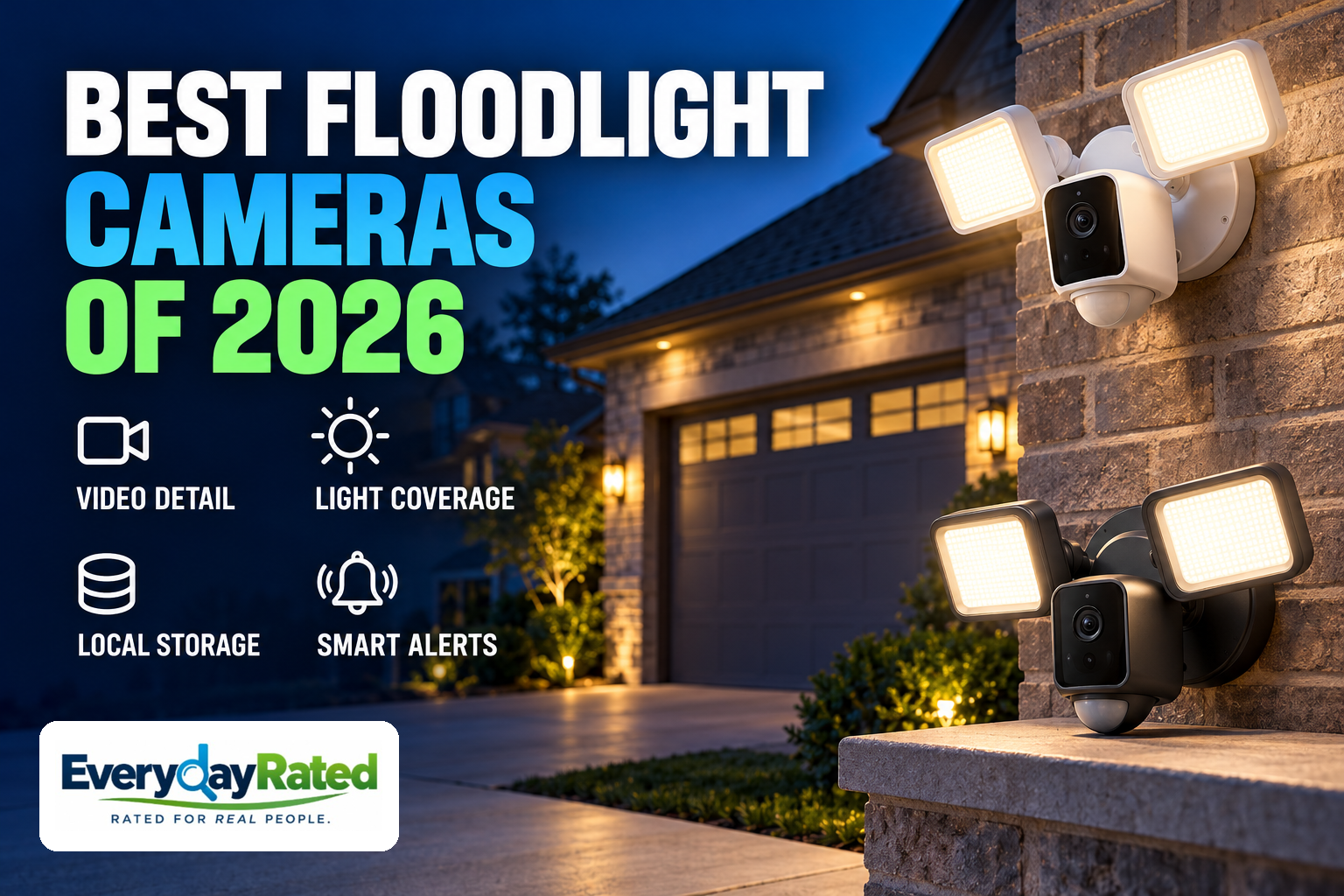
A floodlight camera should do two jobs well: light the area you care about and give you useful footage when something happens. Our Best Overall pick for 2026 is the eufy Floodlight Camera E340. The Wyze Cam Floodlight v2 is our value choice, while the Ring Floodlight Cam 4K Pro suits established Ring households.
This guide covers U.S. outdoor floodlight cameras for homeowners with a suitable powered mounting location. We compared recording options, useful image evidence, lighting controls and ownership cost. These are research-based recommendations; EverydayRated did not physically test these products.
Affiliate disclosure: EverydayRated may earn a commission from qualifying purchases, at no additional cost to you. Our recommendations are based on independent research and product specifications. Affiliate relationships do not determine our rankings.
Quick Answer
Choose eufy E340 for viewing flexibility and optional-fee local recording; Wyze Floodlight v2 for a lower starting price; or Ring 4K Pro when your household already uses Ring and accepts its recording plan.
eufy E340
4.4 / 5
Midrange; camera only
Homeowners who want flexible coverage and local recording without a required video subscription
Wyze Floodlight v2
4.0 / 5
Budget; camera only
A budget-conscious household covering one main approach with local video storage
Ring Floodlight Cam 4K Pro
4.2 / 5
Premium; wired single camera
Existing Ring and Alexa users who accept an ongoing cloud-recording bill
How We Evaluated
Last Reviewed: October 2026. We checked exact current models, U.S. manufacturer store listings, storage requirements, current plans and original professional reviews. Older tests are identified by date where relevant. Prices are checked snapshots, not guaranteed discounts.
Our consistent editorial rubric weighs useful image and detection evidence (30%), coverage and lighting controls (20%), recording and three-year ownership value (25%), setup and app usability (15%), and warranty, support and reliability evidence (10%). Scores are research-based judgments on a five-point scale, not calculated laboratory results. Comparable failure-rate data was unavailable, so we do not claim a reliability winner.
We also considered Reolink’s current TrackFlex Floodlight WiFi, a 4K pan/tilt alternative in a premium price tier in the checked U.S. Wi-Fi camera store. It deserves comparison if you want a higher-spec local-recording system. The three picks here serve distinct everyday budgets and existing systems; the shortlist is not a claim that eufy wins every specification. [14] [15]
At a Glance
| Buying factor | eufy E340 | Wyze Floodlight v2 | Ring 4K Pro |
|---|---|---|---|
| Editorial score / role | 4.4 / Best Overall | 4.0 / Best Value | 4.2 / Ring households |
| Camera price tier | Midrange | Budget | Premium |
| Manufacturer video specification | 3K wide + 2K telephoto | 2304 × 1296 | 3840 × 2160 |
| Viewing approach | Motorized pan/tilt | Fixed; 160° diagonal | Fixed; radar motion zones |
| Advertised total light output | 2,000 lumens | 2,800 lumens | 2,000 lumens |
| Local recording route | microSD or HomeBase 3 | microSD | No microSD route |
| Wi-Fi bands | 2.4GHz / 5GHz | 2.4GHz | 2.4GHz / 5GHz |
| Three-year illustrative cost | Current camera price + storage | Local: current camera price + card; cloud: add three annual Cam Plus fees | Current camera price + three annual Solo fees |
| Main tradeoff | Moving view is not all directions at once | Less fine detail; fixed light color | Cloud recording service cost |
Light outputs above are manufacturer claims, not comparable measured illumination at a driveway. Video resolution describes capture dimensions, not guaranteed face or plate identification. Costs exclude tax, installation, electricity and replacement storage, and assume unchanged annual plan prices. Local recording is not the same service as cloud backup. [1] [3] [6] [8] [9]
1. eufy Floodlight Camera E340
EverydayRated score: 4.4 / 5
Key specifications: 3K wide + 2K telephoto; motorized pan/tilt; advertised 2,000 lumens; dual-band Wi-Fi 6; microSD or HomeBase 3 storage
The E340 is our starting point for a homeowner who wants more than a fixed view of the garage door. Its combination of an overview and a closer view gives it a useful role on a driveway where visitors can move between the entrance, parked cars and a side path. The buying case is flexibility and recording choice, rather than the highest number on a resolution label.
The manufacturer specifies 3K and 2K cameras, motorized pan/tilt, 2,000-lumen lighting and dual-band Wi-Fi 6. Continuous recording needs a separately purchased microSD card or compatible HomeBase S380. The onboard card limit is 128GB; a HomeBase is optional, not a required starter purchase. The checked U.S. camera-only listing offered ordering; check the current price. [1]
In original hands-on coverage, TechHive praised the simultaneous wide and telephoto views, adjustable lights and local-storage options. Its reviewer also noted the bulky styling and limited onboard card capacity. That is useful exact-model evidence, although a 2024 review cannot establish current firmware behavior or a long-term failure rate. [2]
A moving camera needs thoughtful placement. A motor can point toward another part of the yard, but it does not create simultaneous panoramic recording of every direction. If two approaches must always be visible, two fixed cameras may be the better plan. Set the default view around the most important approach, then treat tracking as an additional tool.
Local recording can keep the recurring bill down, but do not translate that into a promise of fully offline operation or guaranteed privacy. eufy published privacy clarifications after its 2022 controversy. Review notification previews, account sharing and remote-access settings before enabling them. A card inside the fixture also stays with the fixture if it is removed; separate storage can matter more than another zoom setting. [12]
Budget for storage and any installation work. eufy’s warranty policy has purchase and regional conditions; confirm the applicable E340 term with your authorized seller rather than assuming a generic brand-wide duration. Its 4.4 editorial score rewards versatile viewing and recording value, with deductions for camera-direction tradeoffs, limited onboard capacity and the need for care around connected-camera privacy. [13]
Pros
- Overview and closer camera views in one fixture
- Local continuous recording without a required video plan
- Dual-band networking and optional separate HomeBase storage
Considerations
- Pan/tilt coverage is not simultaneous coverage of every direction
- Storage must be purchased; onboard capacity is limited
- Bulky housing and connected-service privacy considerations
Why We Picked It
It balances useful viewing options with a recording path that does not force an ongoing video subscription.
2. Wyze Cam Floodlight v2
EverydayRated score: 4.0 / 5
Key specifications: 2304 × 1296 video; 160° diagonal view; advertised 2,800 lumens; 5000K light; 2.4GHz Wi-Fi; microSD recording
The Floodlight v2 is the sensible value pick when the main job is straightforward: illuminate a driveway and keep a record of activity in one fixed view. Its budget price tier leaves more room in the budget for the part shoppers often overlook—proper placement, storage and installation.
Wyze specifies 2304 × 1296 video, a 160-degree diagonal view, two dimmable panels totaling 2,800 advertised lumens and microSD recording. It uses 2.4GHz Wi-Fi. The light color stays at 5000K. The manufacturer’s technical table specifies cards up to 256GB, although one FAQ contains an inconsistent capacity typo; follow the technical specification and current support guidance. The U.S. store showed stock available. [3]
TechGearLab found useful monitoring controls and easy operation, but less fine detail than stronger competitors. Its night footage showed grain and the bright lights sometimes washed out detail. Its brightness table differs from Wyze’s total-output claim, so we have not treated those numbers as comparable laboratory measurements. Position and dim the panels for the image you need, not simply maximum output. [4]
A separate TechHive evaluation praised the hardware and wireless setup and ambient lighting controls, while criticizing the fixed cool light color and documenting a privacy incident during the review period. Those findings make this a more qualified recommendation than a simple bargain badge. Wyze’s official incident update also describes thumbnails being shown to other users in February 2024. [5] [11]
A microSD card supplies the local recording route. Cam Plus adds cloud recording and smart detection; check the current U.S. per-camera plan rates. For a three-year budget, add three annual service fees to the current camera price, plus tax, storage and installation. [9] [10]
The product page lists a standard one-year warranty and advertises 18 months for eligible direct Wyze purchases. Confirm the seller’s terms. Choose this model if price matters more than adjustable light color or maximum detail. Its 4.0 score reflects strong entry value and practical storage, tempered by image-quality compromises and privacy history. [3]
Pros
- Low entry price with useful local recording
- Dimmable lighting and ambient-light scheduling
- Fixed wide view suits a single main approach
Considerations
- Cool 5000K light color cannot be changed
- 2.4GHz networking only; fine night detail trails stronger cameras
- Cloud AI features cost extra; privacy history merits consideration
Why We Picked It
It covers the essential light-and-camera job for much less upfront, provided its image and service limits match the task.
3. Ring Floodlight Cam 4K Pro (2nd Gen), Wired
EverydayRated score: 4.2 / 5
Key specifications: 3840 × 2160 video; radar-based 3D Motion Detection; advertised 2,000 lumens; dual-band Wi-Fi 6; cloud recording with plan
The Ring recommendation is specifically the current Floodlight Cam 4K Pro, which Ring identifies as the renamed Floodlight Cam Pro (2nd Gen). Do not confuse it with the older Floodlight Cam Wired Pro or assume that every discounted “Pro” listing contains the 4K hardware. The checked U.S. wired single-camera page showed an Add to Cart option. [6]
This model makes the most sense when Ring is already the household’s familiar app. Camera alerts, doorbell checks and device management are more likely to be used consistently when everyone knows where to find them. If you already pay for a suitable location-wide Ring plan, check whether it covers the added camera before treating a second subscription as inevitable.
GadgetGuy’s original second-generation review found approachable setup and playback and useful nighttime monitoring. It also noted that an Echo display did not offer the same viewing detail and controls as the phone. That Australian review informs usability here; its regional prices and plan names are not used for our U.S. cost comparison. [7]
Ring specifies 4K capture, radar-based motion zones, adjustable lights, dual-band Wi-Fi 6 and a one-year limited warranty. The specifications recommend at least 15Mbps upload for optimal performance, with the FAQ recommending 20Mbps for the best 4K experience. Test the connection at the actual mounting point. A strong broadband headline elsewhere in the house does not establish reliable camera upload at the garage. [6]
The recording bill is the decisive limitation. Ring Solo has a recurring fee for one device. Multi has a recurring fee for one location; compare the current plan rates. Advanced recognition and other features vary by plan. At unchanged annual Solo pricing, budget for the current camera price plus three annual service fees before tax and installation. [8]
Choose it for a familiar connected system and tailored motion controls. Choose another model if you need the microSD recording path offered by our first two picks. Its 4.2 score recognizes useful hardware and app convenience while accounting for ongoing costs and dependence on the cloud-recording service. The use-case award explains why it ranks after the cheaper value pick despite its higher score.
Pros
- Familiar app for established Ring households
- Radar-based motion zones and 4K capture
- Existing qualifying location plan may cover an additional device
Considerations
- Recorded history requires a compatible paid plan
- Strong upload connection matters for 4K
- Phone and smart-display experiences differ
Why We Picked It
It is the easiest recommendation for a committed Ring household that values familiar controls enough to accept cloud ownership costs.
Buyer’s Guide: Four Things Worth Checking
1. Start with the view you need to keep
Sketch the driveway, doors and paths before shopping. A wide fixed view is useful when all the important activity happens in one area. Pan/tilt is useful for following movement or checking a different approach, but a direction outside the current view is not being recorded in the same way. If you need two locations visible at all times, plan two views.
Ask what must be recognizable and how far away it will happen. A person at the door and a vehicle at the curb are different tasks. Treat digital zoom as a viewing aid, not recovered detail. Save sample clips after installation and inspect them on the phone or computer you will actually use.
2. Buy useful illumination, not the biggest lumen number
Lumens describe light output; they do not tell you how evenly your driveway will be lit. Panel direction, mounting height, nearby walls and reflective surfaces change the result. Aim lights away from neighbors’ windows and test a person walking toward the camera after dark. If the face becomes a bright patch, adjust the light rather than assuming the sensor needs more brightness.
Light color also affects how the fixture feels in everyday use. A cool floodlight can look out of place beside warm porch lights. For decorative lighting elsewhere, our smart lighting buying guide helps separate atmosphere from task illumination. A camera fixture is worth buying for its recording job, not simply because the yard needs another lamp.
3. Decide where recordings should survive
A card can avoid a recurring recording bill, but it can fail or disappear with the camera. Separate in-home storage moves recordings away from the fixture. Cloud history offers another storage location, with recurring cost and reliance on service availability. Decide whether you need continuous history, motion clips, or both; those are different features.
Compare total ownership over several years. Include the camera, required storage, installation and the subscription tier that actually supplies the alerts you want. Review export options too: a clip that is difficult to find and save may be less useful than the longest advertised retention period. If you are also choosing an alarm platform, see our smart home security systems comparison before committing to another ecosystem.
4. Check the mounting point, connection and privacy settings
“Wireless” often refers to the data connection. The standard versions compared here need a suitable continuous power supply. Confirm the exact model’s wall or eave mounting instructions and junction-box requirements; have qualified installation arranged when needed. Keep the circuit powered for camera operation and test Wi-Fi at the actual mounting position before final installation.
Use a unique account password, available two-factor authentication, current firmware and carefully limited sharing permissions. Set privacy zones for areas you do not need to record. Review audio and notification-preview settings. Local storage alone does not establish that every feature stays off the cloud, and none of these cameras guarantees that an incident will be prevented or recorded.
Model numbers matter for safety notices as well as features. The June 2026 CPSC recall we found concerns the battery-powered Wyze Solar Cam Pan, not the hardwired Floodlight v2 recommended here. Check the exact model against current notices when buying; a search that finds a different product does not establish a recall or a clean safety record for this one. [16]
EverydayRated Verdict
The eufy Floodlight Camera E340 wins Best Overall for its useful combination of viewing flexibility and local recording value. It is the best starting point here for a homeowner who wants control over the recording bill and understands what a moving camera can and cannot cover.
Choose the Wyze Cam Floodlight v2 when keeping the initial cost down matters most and a fixed view meets your needs. Choose the Ring Floodlight Cam 4K Pro when Ring is already your household’s preferred system and the cloud plan is an acceptable part of ownership.
If all you need is light on a dark path, a conventional motion floodlight may be enough. If you already have good lighting and want a better camera position, separate lighting and a dedicated camera may be the stronger layout. The final buying decision should start with the view you need to keep and where you want its recordings stored.
Sources & Research
- eufy E340 — current U.S. specifications, price and recording FAQ
- TechHive / PCWorld — original eufy E340 review, April 2024
- Wyze Floodlight v2 — current U.S. product, price, storage and warranty
- TechGearLab — original Wyze Floodlight v2 testing
- TechHive / PCWorld — original Wyze Floodlight v2 review, February 2024
- Ring Floodlight Cam 4K Pro — current product, model-name clarification and warranty
- GadgetGuy — original second-generation Ring Floodlight Pro review, November 2025; Australian pricing excluded
- Ring Protect — current U.S. Solo, Multi and Pro plan pricing
- Wyze — current subscription comparison
- Wyze — March 2026 annual Cam Plus price change
- Wyze — official February 2024 security incident update
- eufy — archived December 2022 privacy commitment update
- eufy — current warranty policy
- Reolink TrackFlex Floodlight WiFi — current competing model
- Reolink — current U.S. Wi-Fi camera store and TrackFlex price
- CPSC — June 2026 Wyze Solar Cam Pan recall; different product from Floodlight v2