
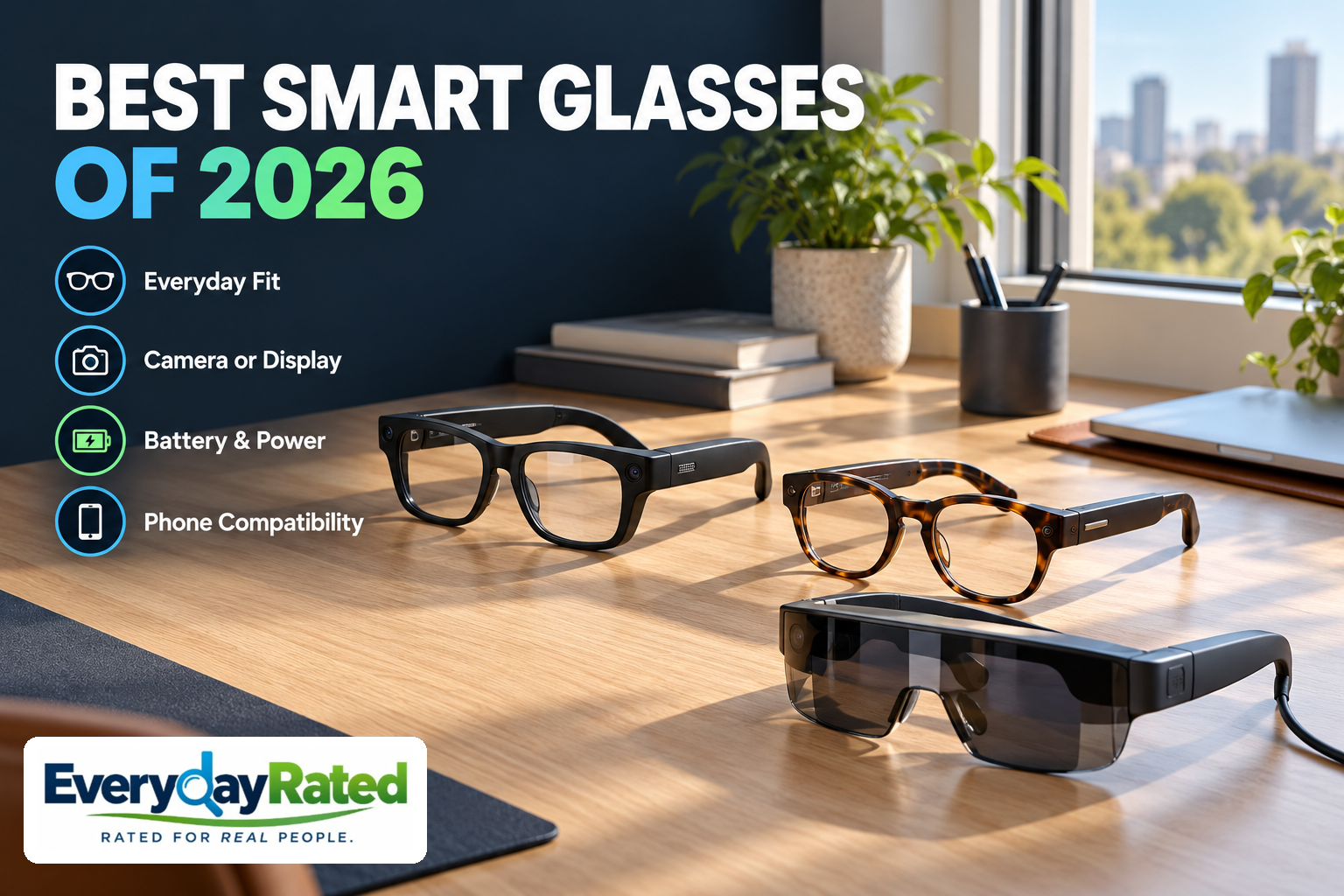
The best smart glasses of 2026 depend on what you want in front of your eyes—or just beside your ears. Our research favors Ray-Ban Meta Gen 3 for everyday camera-and-audio use, with a camera-free alternative and a separate wearable-display pick.
“Smart glasses” now covers products that do very different jobs. Some take photos and play audio with no screen at all. Others put a display in your view and need a connected device. This U.S.-focused buying guide compares those roles, current models and ownership costs, without pretending that one pair can replace your entire pocket.
Affiliate Disclosure
Affiliate disclosure: EverydayRated may earn a commission from qualifying purchases, at no additional cost to you. Our recommendations are based on independent research and product specifications. Affiliate relationships do not determine our rankings.
Quick Answer: Choose the Job First
Choose Ray-Ban Meta Gen 3 for everyday capture and audio, Meta Audio Burbank when you want no camera, or XREAL 1 Pro+ when your priority is a wearable screen.
Ray-Ban Meta Gen 3
4.2 / 5
People who want hands-free snapshots, calls and audio in regular-looking eyewear
Meta Audio Burbank
4.0 / 5
Listeners and callers who want smart eyewear without an outward-facing camera
XREAL 1 Pro+
4.1 / 5
Travelers, handheld gamers and laptop users who specifically want a personal screen
How We Evaluated
Last Reviewed: October 2026. EverydayRated did not physically test these glasses. We compared current manufacturer documentation and U.S. store listings with original professional wearing reports. The latest launches have limited long-term evidence; no failure-rate or lifespan ranking is justified.
Our editorial rubric uses five equally weighted factors, each assessed out of five: usefulness for the intended job, capability and evidence, fit and ease of use, ownership and support, and value. The mean rounds to one decimal. Scores are editorial judgments, not laboratory results. Different awards recognize different needs; a display does not lose points merely for lacking a camera.
In that order, factor scores are Gen 3: 4.6, 4.2, 4.1, 3.8, 4.1 (4.2 overall); Audio: 4.2, 3.9, 4.2, 3.7, 4.0 (4.0); 1 Pro+: 4.5, 4.3, 3.8, 3.8, 4.1 (4.1). The individual rationales below explain the tradeoffs. Advertised battery, brightness and noise-reduction claims are not substituted for common independent measurements.
Smart Glasses At a Glance
| Factor | Ray-Ban Meta Gen 3 | Meta Audio Burbank | XREAL 1 Pro+ |
|---|---|---|---|
| Role | Camera + audio; no screen | Audio; no camera or screen | Wearable display |
| U.S. price tier | Premium; varies by frame and lenses | Mid-premium; varies by frame and lenses | Premium; accessories extra |
| Power | Up to 9 hours advertised | Up to 12 hours advertised | Powered through connected source |
| Key requirement | Compatible phone, app and account | Compatible phone, app and account | USB-C DisplayPort source or suitable adapter |
| Main buying risk | Fit and camera expectations | Paying for a role earbuds already fill | Optical fit, cable path and add-ons |
Prices are U.S. research snapshots before tax. Starting prices are not quotes for every frame or prescription. Manufacturer battery ratings are usage-dependent and not comparable with the runtime of a tethered display.
[1] [2] [7] [9]1. Ray-Ban Meta (Gen 3)
EverydayRated Score: 4.2 / 5
Key Specifications: 12MP camera; up to 3K video; six microphones; no lens display; manufacturer-rated up to 9 hours per charge
Ray-Ban Meta Gen 3 is our most useful starting point for shoppers who mean “smart sunglasses” when they say smart glasses. Its appeal is the combination: you can take a quick first-person photo, answer a call and listen without holding another device. That makes more everyday sense than paying for a display you only intend to use occasionally.
The latest generation adds an action button and revised styling. Android Central’s original hands-on describes the changes as relatively modest and notes the lack of adjustable nose pads. Its reporting supports considering Gen 3 as a current option, but does not establish long-term durability or a dramatic leap in picture quality. An owner satisfied with Gen 2 has little reason to upgrade on the generation number alone. [5]
Ray-Ban specifies a 12MP camera, up to 3K video and six microphones. There is no in-lens screen: you cannot frame a shot through a viewfinder or watch a movie in these glasses. The distinction matters more than the AI badge. A buyer expecting captions or navigation floating in the lens needs a different product family. [2]
Battery, Fit and Everyday Ownership
Meta advertises up to nine hours of use; that is a mixed-use ceiling, not a promise of continuous recording. Charging-case capacity helps between wearing sessions. Keep the case in your day bag, and judge endurance against your actual recording and listening routine during the return window. We have no common independent battery test across these three picks. [1]
Ownership involves a compatible smartphone, a Meta account and the companion app. Check current app-store requirements and the availability of your desired AI features in your country before buying. The camera is convenient precisely because it is easy to forget: ask before recording other people, respect venue rules and learn the physical power switch. Open-ear audio is useful for casual listening, but it is a poor reason to retire headphones you like. [2] [14]
The published starting price is for the lineup, not every Aviator or prescription configuration. Our Check Price link goes to an exact Gen 3 Aviator listing so you can select and verify the lens configuration. Pay particular attention to fit and the final optical quote; a technology upgrade is wasted if the glasses spend the day in their case.
Pros
- Camera, calls and open-ear listening in one everyday accessory
- Current generation with a dedicated customizable action button
- Multiple frame and optical configurations
Considerations
- No lens display; photos and video do not become an AR screen
- Up-to battery figures are not continuous recording endurance
- Premium lenses and prescription needs can change the total substantially
Why We Picked It
4.2 / 5: the broadest everyday utility in this shortlist, balanced against premium cost, account dependence, fit uncertainty and limited exact-generation reliability evidence.
2. Ray-Ban Meta Audio Burbank (RW7005)
EverydayRated Score: 4.0 / 5
Key Specifications: Audio-only design; no camera or display; six microphones; manufacturer-rated up to 12 hours per charge
Removing a camera can be a useful feature. Meta Audio Burbank suits someone who wants quick calls, podcasts and spoken assistance but does not want to explain a recording device at every conversation. Choose it because that simpler role fits your day, rather than assuming it is the cheapest way to buy smart glasses.
The Audio family includes Burbank and Clubmaster styles. Meta’s launch materials describe the lighter design and a charging case. Ray-Ban’s comparison lists no camera, no lens display and a six-microphone arrangement. The absence of a camera means visual AI functions cannot work the same way as on camera-equipped models. [1] [2]
Tom’s Guide’s original three-day Burbank account found the glasses increasingly useful during ordinary outings. That is encouraging evidence of convenience, not a controlled comparison of microphone quality or long-term wear. It also illustrates the right buying question: will easy access to audio change your routine enough to justify another device? [6]
Power and Privacy for Camera-Free Smart Glasses
The manufacturer’s up-to-12-hour rating gives Audio an appealing paper advantage over Gen 3. The two figures remain advertised mixed-use ratings, and we do not treat their difference as measured performance. Someone who spends hours in calls should test that workload promptly; standby time and conversation time are different things. [2]
Camera-free does not mean microphone-free or account-free. Review voice and app permissions, and remember that a spoken AI request can be heard by people nearby. If you simply want private music on a crowded train, consider whether your existing earbuds already solve the problem more cheaply. Audio glasses make the strongest case when you already need eyewear and prefer open ears.
Choose the Burbank frame only after a fitting. This exact RW7005 link is for the black frame with Clear/Grey lenses; final lens choices and prescription eligibility need confirmation. Ask the seller how optical remakes, electronic faults and returns are handled together. Long-term support and battery aging remain uncertain for this newly released family.
Pros
- No outward-facing camera to manage in social settings
- Lower entry price than the Gen 3 camera lineup
- Simple focus on calls, listening and spoken assistance
Considerations
- No photos, visual scene understanding or lens display
- Still uses microphones, software and a connected account
- Its purchase price is substantial beside ordinary earbuds
Why We Picked It
4.0 / 5: a focused, lower-cost alternative for people who actively prefer no camera. It loses breadth and has little long-term evidence, so the score does not assume advertised endurance is proven.
3. XREAL 1 Pro+
EverydayRated Score: 4.1 / 5
Key Specifications: 1920 × 1080 per eye; 57° field of view; up to 120Hz; USB-C video input; native 3DoF; optional Eye for 6DoF
XREAL 1 Pro+ solves a different problem from either Ray-Ban. It gives a compatible device a wearable screen, making it a more relevant choice for a movie, a game or a larger laptop view. It is our display pick, not a recommendation to wear a monitor while walking around. The connected source device remains part of the setup.
This model arrived in October 2026; check the current offer. At research time, the U.S. store showed medium in stock and a two-week shipping estimate for large. Those fit sizes correspond to different eye-spacing ranges. Select for your eyes, not for the fastest delivery, and check the estimate again before paying. [7]
The technical documentation specifies 1080p per eye, a 57-degree field of view and refresh rates up to 120Hz. It distinguishes maximum perceived brightness from panel brightness. Likewise, a very large advertised virtual screen is not a higher pixel count; increasing its apparent size does not create extra detail for small text. [8]
Tom’s Guide’s original wearing impressions praised the nose comfort and reading mode, while noting occasional spatial instability during travel and the extra cost of Eye. These are useful early observations, not proof that the glasses replace a desktop monitor for every face or task. Buy from a seller whose return terms let you assess edge clarity, alignment and comfort with your normal content. [11]
Connecting Your Wearable Display
A USB-C socket alone does not establish compatibility: the source must output DisplayPort video for a direct connection. Confirm the exact phone, laptop or handheld and the full cable path. The glasses’ processing does not make them a standalone streaming player, and any adapter, power-sharing accessory or media subscription belongs in your budget. [9]
Built-in 3DoF anchoring stabilizes the view as you turn your head. Six-degree-of-freedom spatial anchoring adds positional movement but needs the optional XREAL Eye. Buyers who only need a simple personal screen should start without optional accessories and add one only for a named requirement. The prescription lens frame is also not included with this model. [10] [15]
XREAL’s U.S. warranty lists one year of coverage subject to its terms and authorized purchase channels. The older One Pro occupied a similar price tier during this research, so do not mistake a similar name for the updated model. Prefer the 1 Pro+ at equal price if fit and availability suit you; an older-model discount needs to be meaningful to change that decision. [12] [13]
Pros
- A true wearable display rather than audio-only eyewear
- Native head-turn anchoring without buying Eye
- Separate eye-spacing sizes and an updated fit design
Considerations
- Requires a compatible video source and cable connection
- Prescription frame and advanced spatial accessories cost extra
- Very new model; travel stability and individual clarity need a trial
Why We Picked It
4.1 / 5: strong display capability for a defined task, tempered by connection complexity, accessory costs and early evidence. It ranks third because the shortlist prioritizes everyday eyewear, not because its screen role is unimportant.
Buyer’s Guide: Four Checks Before You Buy
1. Decide whether you need a camera, audio or a screen
Start with a recurring task. Quick first-person clips favor camera glasses. Calls and podcasts may justify audio eyewear. Films, games and a personal laptop view point toward display glasses. Do not pay for a projected-screen experience when what you really want is to answer a call without fishing out your phone.
A notification display and a cinema-style wearable display are also different products. A small glanceable screen can prioritize messages and directions; a larger virtual screen prioritizes media or computing. Meta Ray-Ban Display, sports-focused Oakley Meta products and newer lower-priced Meta frames deserve a separate comparison if those are your needs. Our shortlist is not a claim that only three credible glasses exist.
Current cheaper generations can make sense when discounted, but read the exact model name. Gen 2, Gen 3, Optics and Display are not interchangeable labels. Avoid buying on a future feature promise: purchase for the functions available to your account, country and device today.
2. Treat fit and optical clarity as purchase requirements
Try the glasses for more than a few seconds. Look down, turn your head and see whether they slide, pinch or interfere with your usual routine. Heavy use magnifies a small pressure point. Ask an optician about prescription limits, progressive-lens suitability and whether the frame can be adjusted safely.
For a wearable display, measure interpupillary distance—the spacing between the centers of your pupils—and choose the appropriate size. Check small text and the corners of the image with your normal source device. A crisp center does not prove that the entire screen is comfortable. XREAL offers two 1 Pro+ eye-spacing ranges and advises comparing sizes at a boundary. [8]
A return policy is especially valuable in this category. Confirm the deadline, return condition and how customized prescription lenses affect eligibility. A warranty covers specified faults; it is not a substitute for discovering that a frame does not suit you.
3. Add the real cost of power, lenses and connections
Write a complete shopping list: frames, optical lenses or insert, case, charging equipment, adapters and any optional accessory needed for your chosen feature. Keep media subscriptions separate from hardware fees. This research did not establish a compulsory recurring hardware subscription for the core roles described here; paid services and future terms still need checking.
For camera and audio glasses, compare your actual hours of listening, calls and capture with the maker’s test conditions. For display glasses, account for the source device’s battery and charging path. A 12-hour eyewear claim and a USB-C-powered display are not competing runtime measurements.
If your main concern is charging several devices, our charging-station buying guide can help organize the wider setup. Check the glasses’ own case and power instructions first; a wireless charging pad is not automatically compatible with every case.
4. Check privacy, software and support before committing
A recording indicator helps people understand that a camera is active; it does not replace asking permission. Learn how to turn capture off, review connected-app permissions and follow the rules of workplaces and venues. Camera-free glasses remove image capture, while microphones and connected services still deserve attention. [14]
AI answers can be wrong. Do not rely on an assistant to identify a hazard, make a critical decision or provide dependable real-time navigation. Verify an important answer yourself. Also distinguish a feature demonstrated at a launch from one enabled in the shipping software for your location.
Check the seller’s written electronic and lens coverage, service channel and replacement-case options. These recent models do not have years of reliability data. Confirm current recall notices by exact model before purchase and again if a safety notice appears; absence of a search result is not a recall-free certification.
Related Tech Buying Guides
A wearable screen is only one way to expand a workspace. Our office-gadget guide also covers conventional portable monitors and docks, useful comparisons before you commit to glasses.
Browse the Tech & Gadgets guide collection for other practical device choices. Choose the tool that removes a daily nuisance, rather than the one with the most ambitious demo.
EverydayRated Verdict
Ray-Ban Meta Gen 3 is our Best Overall choice for everyday camera-and-audio eyewear. It combines the most broadly useful roles here, provided you want a camera and are comfortable with the connected account and app.
Choose Meta Audio Burbank if no camera is a priority. Choose XREAL 1 Pro+ when you specifically want a wearable display and have verified the source connection and optical fit. Those alternatives solve distinct problems, so their award order is not a universal ranking of every smart-glasses feature.
You may need none of them if a phone, earbuds or portable monitor already handles the job. The final buying check is the least futuristic one: try the fit, confirm the exact model and lens quote, and make sure the feature you are paying for works with the device you own.
Sources & Research
Reviewed October 2026. Manufacturer specifications, advertised ceilings and original professional wearing impressions are identified separately. Purchase listings are linked for exact model confirmation; price, stock and regional software availability can change.
- Meta — September 2026 Ray-Ban Gen 3 and Audio launch, U.S. starting prices
- Ray-Ban — current model comparison, specifications and phone requirements
- Ray-Ban — Gen 3 Aviator, RW4016, Havana / Clear-Brown product listing
- Ray-Ban — Meta Audio Burbank, RW7005, Black / Clear-Grey product listing
- Android Central — original hands-on with the September 2026 glasses lineup
- Tom’s Guide — original three-day Ray-Ban Meta Audio wearing impressions
- XREAL — 1 Pro+ U.S. store, price, size availability and package contents
- XREAL — 1 Pro+ detailed technical specifications
- XREAL — 1 Pro+ connection and firmware FAQ
- XREAL — 1 Pro+ spatial modes and optional accessories FAQ
- Tom’s Guide — original XREAL 1 Pro+ wearing impressions and limitations
- XREAL — U.S. limited warranty terms
- XREAL — One Pro U.S. listing for comparison with the new 1 Pro+
- Meta — AI glasses questions and privacy indicators
- XREAL — 1 Pro+ setup, fitting and prescription frame note