
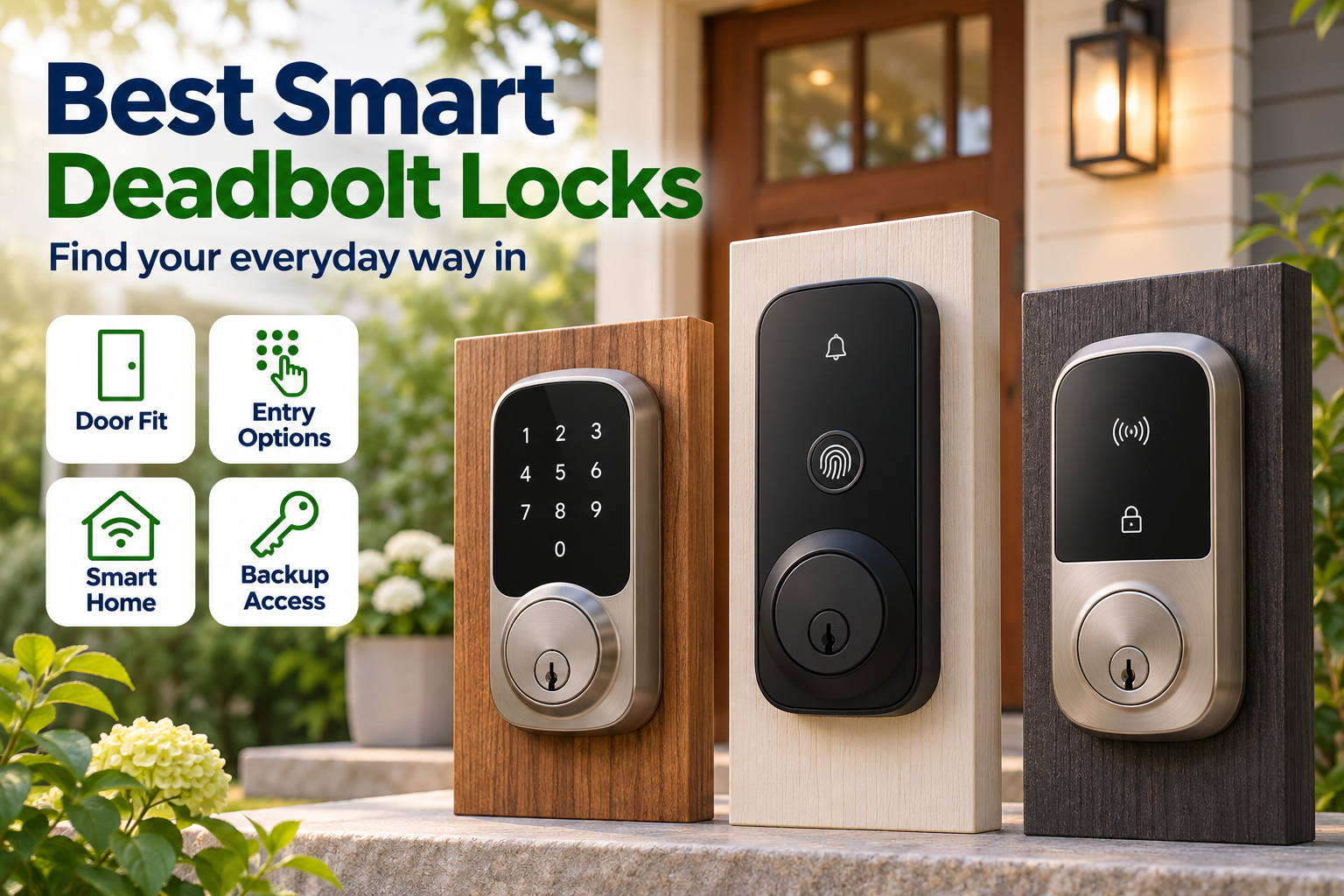
Coming home with groceries is a good reminder that a front-door upgrade should remove a small annoyance. The best smart deadbolt locks give the household useful entry choices without an unnecessarily complicated setup. Schlage Encode Plus is our Best Overall pick for its combination of keypad, Apple home key and physical-key access.
Aqara U100 is our fingerprint-value alternative; Schlage Sense Pro is the specialist choice for compatible hands-free arrival. This guide compares U.S. models and the complete entry setup. A convenience score is not a security or forced-entry test.
Quick Answer
Schlage Encode Plus
4.4 / 5
Households wanting smart access with familiar backups
From $329 manufacturer listing
Aqara Smart Lock U100
4.2 / 5
Fingerprint-first households prepared to plan the hub setup
$189.99 at Aqara U.S. store
Schlage Sense Pro
3.8 / 5
Owners whose supported phone, hub and arrival routine justify the premium
From $399 manufacturer listing
How We Evaluated
Last Reviewed: November 16, 2026. We checked exact-model manufacturer documentation, U.S. purchase pages, compatibility information and published support terms. EverydayRated has not hands-on tested these locks. We did not measure wireless range, fingerprint reliability, battery endurance or forced-entry resistance.
Our editorial factors are daily entry options (30%), connection/setup practicality (25%), backup-access flexibility (20%), purchase value (15%) and published support/warranty coverage (10%). Scores summarize buying-fit judgments out of five; a tenth of a point is not a measured security difference. We also considered simpler Schlage Encode and Arrive models: buyers who only want codes should compare their full installed cost before paying for home key or hands-free hardware.
At a Glance
| Model / award | Score | Checked price | Key specifications | Main limitation |
|---|---|---|---|---|
| Schlage Encode Plus Best Overall | 4.4 / 5 | From $329 manufacturer listing | 4 AA batteries; 2.4GHz Wi-Fi; up to 100 codes; physical key; 1⅜–1¾-inch door thickness | No fingerprint reader |
| Aqara Smart Lock U100 Best Fingerprint Value | 4.2 / 5 | $189.99 at Aqara U.S. store | 4 AA batteries; Bluetooth/Zigbee; up to 50 fingerprints; key and USB-C emergency power | Some remote features require an Aqara hub |
| Schlage Sense Pro Best for Compatible Hands-Free Entry | 3.8 / 5 | From $399 manufacturer listing | UWB hands-free modes; Matter over Thread; Wi-Fi; up to 250 codes; USB-C temporary power; no keyway | Highest starting price here |
Prices are dated U.S. listing observations, not guaranteed market-wide ranges. Tax, shipping, configuration and checkout stock may change the total. Product facts follow the linked documentation; editorial scores are not retailer stars.
1. Schlage Encode Plus

Key specifications: four AA batteries, up to 100 access codes, 2.4GHz Wi-Fi, and a physical backup key. The published fit is 1⅜–1¾-inch doors with a 2⅜- or 2¾-inch backset. Schlage lists a limited lifetime mechanical/finish warranty and three-year electronics coverage. [2]
The key backup is the feature that makes this feel like a balanced household purchase. One person can enjoy phone access while another prefers entering a code. Keeping a usable mechanical fallback also suits buyers who do not want every entry option to depend on the lock’s electronics.
The tradeoff is price. If nobody in the household wants Apple home key, compare a simpler keypad or connected lock before paying for this model. Likewise, fingerprint entry shoppers should look at U100. A fingerprint-resistant touchscreen is a surface characteristic, not a fingerprint reader.
It earns our highest buying-fit score by balancing access choices, a straightforward connection path and backup flexibility. The lower value score reflects its premium price, rather than a measured performance shortcoming.
Make the physical installation the first decision. A bolt that rubs the strike or needs the door pulled hard will not become a better mechanical fit because it has an app. Check the published door dimensions and address alignment before relying on remote locking. The product page and installation resources describe the approved fit. See Schlage’s exact-model specifications.
The useful ownership advantage is flexibility between people. A household can keep a key for an agreed backup plan, issue individual codes, and use home key on compatible Apple devices. Plan code removal when a guest no longer needs access and keep account recovery details somewhere accessible outside the locked home. These are setup decisions, rather than evidence that one entry method is immune to failure.
Pros
- Keypad, Apple home key and physical key
- Built-in Wi-Fi management
- Three-year listed electronics warranty
Considerations
- No fingerprint reader
- Premium price for code-only needs
- Door alignment and Wi-Fi still matter
The most balanced access and backup package here, with a deduction for its premium price.
2. Aqara Smart Lock U100

U100 supplies fingerprint entry, a keypad and Apple home key. Aqara specifies storage for up to 50 fingerprints, plus mechanical-key and USB-C emergency-power options. For Aqara remote features and automations, a compatible Aqara Zigbee 3.0 hub is required; Matter integration is through a compatible Aqara hub, rather than native Matter-over-Thread in the lock. [4]
Key specifications: four AA batteries, Bluetooth 5.0 and Zigbee 3.0, 35–55mm door thickness and 60/70mm backsets. The keypad is rated IP65. Aqara quotes battery endurance under its own usage assumptions; we have not verified that result. [5]
Its appeal is practical: family members can choose the method they like instead of everyone following the same phone routine. At the checked price, fingerprint access is easier to justify here than paying substantially more for an arrival feature you may rarely use.
The setup deserves more attention than the price tag. Write down whether you want local entry, remote control through Aqara, or integration with another platform. Those are different requirements. A home key logo alone does not tell you what extra hardware every remote function needs.
U100 is the strongest value proposition for a buyer who specifically wants fingerprint entry. It loses setup points because the connection plan needs more care, and support points for the shorter listed warranty.
Before ordering, list the functions you actually want. Local entry, remote access in Aqara’s app and integration into a broader smart home can have different hardware requirements. A compatible hub can make this a sensible system purchase, but it should appear in the shopping total from the beginning. Aqara explains the hub-dependent features.
Do not compare a lock-only discount with a complete competing setup. Include any approved hub, installation work and replacement batteries. A one-year limited warranty offers a defined support term, but neither that term nor the fingerprint count predicts how reliably an individual household will enter in everyday conditions. Keep another supported entry method ready.
Pros
- Fingerprint, keypad and Apple home key
- Lowest checked lock-only price here
- Key and temporary-power fallbacks
Considerations
- Some remote features require an Aqara hub
- Hub cost changes the comparison
- No comparative fingerprint reliability test
Fingerprint choice at a lower lock-only price, offset by a more involved connection plan.
3. Schlage Sense Pro

Key specifications: four AA batteries, built-in 2.4GHz Wi-Fi, up to 250 codes, and USB-C temporary power. There is no mechanical keyway. Schlage lists limited lifetime mechanical/finish coverage and three-year electronics coverage. [7]
Apple hands-free access has narrower requirements than basic tap access. Schlage lists a Thread-enabled Apple home hub and eligible iPhone or Apple Watch hardware/software. Check the exact compatibility list before buying; an Apple logo or a recent phone purchase alone is not enough. [7]
This is the specialty purchase of the group. Someone regularly arriving with a stroller, bags or a bicycle may value hands-free entry much more than someone who simply wants to stop handing out spare keys. Your routine should decide whether the added price earns its place.
Its lower overall score does not mean the premium feature lacks appeal. It reflects the narrower buyer fit, higher starting price and absence of a mechanical fallback. A shopper who puts hands-free access first may reasonably choose it over our overall pick.
It addresses a distinct everyday convenience problem. Buy it for that purpose, rather than assuming the most expensive model is automatically the best match for every door.
The most important purchase check is the exact compatibility chain. Apple home key tap access and hands-free arrival are different capabilities. Check the current phone, watch, software and Thread home-hub requirements together. Schlage’s current Sense Pro FAQ is a better buying checklist than assuming every newer Apple device qualifies.
A key-free design changes your backup plan. Learn the supported keypad and temporary-power procedure before an outage or depleted batteries make it urgent. You may reasonably prefer Sense Pro over our higher-scoring overall pick if hands-free arrival solves a repeated problem, but an occasional grocery run alone does not establish that the extra hardware cost will be worthwhile.
Pros
- Supported hands-free arrival
- Multiple entrance modes
- Matter-over-Thread integration
Considerations
- Highest starting price here
- Narrower device and hub requirements
- No mechanical key fallback
A purposeful convenience upgrade; its narrower fit, price and key-free fallback reduce its general score.
Buyer’s Guide
1. Measure and inspect the existing door
These picks replace a separate deadbolt. Start by identifying your existing hardware, measuring door thickness and backset, and checking the manufacturer’s installation template. Do not assume a mortise lock, multipoint system or combined handle assembly accepts the same replacement. Schlage provides door-preparation templates and interactive instructions for Encode Plus. [8]
Our practical buying advice: address a sticking door first. If you must pull or lift the door to turn the current bolt, treat that as a fit problem to resolve before adding a motor. Include any door adjustment or locksmith work in your budget.
2. Choose how people will enter
Make a short household list: children, visiting relatives, dog walkers and anyone who does not carry a compatible smartphone. A keypad may solve the problem more simply than a premium wireless feature. Fingerprint and hands-free options are conveniences to evaluate against actual habits.
3. Price the whole setup
Compare the lock, any required hub, installation and ongoing battery replacements. Ask whether you need control while away or only convenient entry at the door. U100’s lower sticker price is attractive, but hub requirements can change the comparison. [3] [4]
4. Plan for ordinary failures
A lost phone, flat lock batteries and an internet outage are different situations. Decide how you would enter in each case. Keep backup equipment accessible from outside the locked home, and learn the manufacturer’s procedure before you need it. External power supplies electricity; it does not remove the need for an authorized entry method.
5. Match the installation environment
Check indoor and outdoor operating limits separately. For example, Schlage specifies a wider outdoor temperature range than its interior-body range. Aqara notes that the U100’s weather and temperature ratings refer to its exterior panel. A front door with a heated interior is a different application from a fully unheated outbuilding. [2] [4] [7]
For the broader shopping context, browse Smart Home Technology guides. Compare the next purchase separately rather than assuming one product solves every part of the routine.
Frequently Asked Questions
Do I need Wi-Fi for every smart deadbolt?
No. Connection methods vary. The two Schlage picks include Wi-Fi, while U100 uses Bluetooth and Zigbee. The hardware needed for remote management or smart-home integration depends on the model and platform. [2] [5] [7]
Does Apple home key mean hands-free unlocking?
No. Tap access and hands-free arrival are different features. Encode Plus and U100 offer home key tap entry; Sense Pro also offers compatible hands-free entry. Check device eligibility before buying specifically for that capability. [1] [4] [6]
Which pick keeps a physical key option?
Encode Plus and U100 do. Sense Pro has no mechanical keyway and provides USB-C temporary power as part of its backup plan. Choose the fallback arrangement you are comfortable maintaining. [2] [4] [7]
Are the ratings security test results?
No. Our scores compare buying fit. We have not performed forced-entry tests, cybersecurity audits or reliability trials. A connected feature list cannot establish that a door is burglar-proof.
Should I replace a working deadbolt if I only want codes?
Consider a simpler electronic keypad lock first. Remote access, phone wallets and hands-free arrival are only worth paying for when you want to use them. A clear household need is a better starting point than the longest feature list.
EverydayRated Verdict
Schlage Encode Plus is our Best Overall choice for a household that values a keypad, home key and physical backup. Choose Aqara U100 when fingerprint entry and lower lock-only cost matter more than the simplest hub plan. Choose Sense Pro for a verified compatible hands-free setup, rather than buying it merely because it is newer or more expensive.
You may not need a connected lock if a mechanical deadbolt or ordinary keypad already meets your needs. Door fit, household entry habits and a usable backup plan matter more than the feature count.
Sources & Research
Research reviewed November 16, 2026. Manufacturer pages support specifications and intended use; they do not establish comparative performance.
- Schlage Encode Plus: features and price
- Schlage Encode Plus BE499: specifications
- Aqara U100: U.S. price and warranty summary
- Aqara U100: features and hub requirements
- Aqara U100: dimensions and specifications
- Schlage Sense Pro: features and price
- Schlage Sense Pro BE889: specifications and compatibility
- Schlage Encode Plus: installation resources